The Guest List helps reception, housekeeping, restaurant and maintenance teams quickly see who is staying in the accommodations on the current day. This feature is available on all Stays plans and is part of the daily operations for many properties.
What is the Guest List used for?
The list shows all occupied accommodations for the day and the number of guests in each reservation. It supports key operational tasks, such as:
- Quick occupancy checks: makes shift handovers easier and provides an instant view of occupied and available units.
- Breakfast and amenities planning: shows how many guests are staying today, helping with the preparation of breakfast baskets, amenities and concierge services.
- Maintenance and security: helps manage access to accommodations for repairs, inspections and other internal controls.
In some properties, it is also used to control access to specific areas and to record charges for additional services.
Where can you generate the Guest List?
The list can be generated from the Stays home page. Simply click the printer icon in the section that shows today’s arriving, departing and in-house guests.
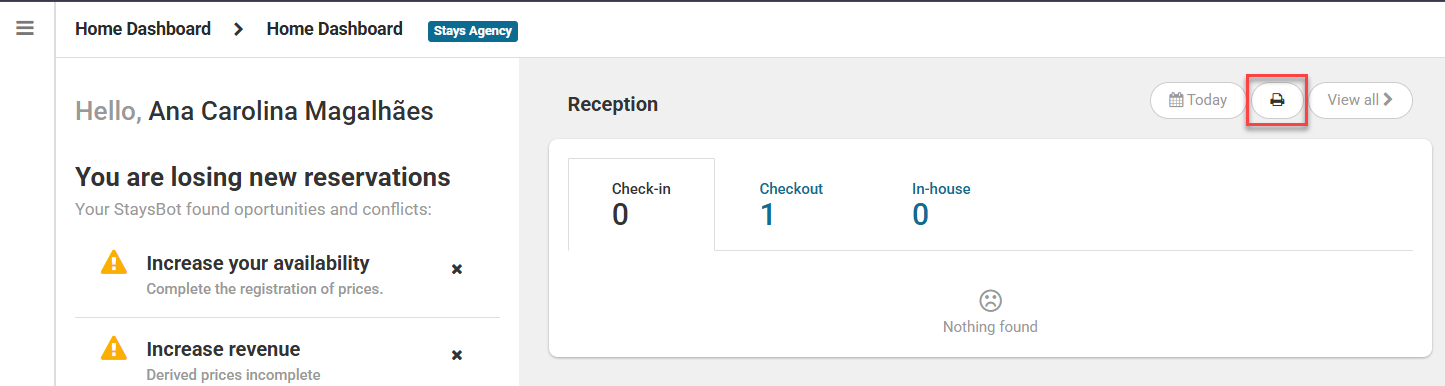
When you click it, the list will always display information for the current day, regardless of the selected date filter.
The document opens in a new tab, where you can print it or download it as a PDF.
If your browser blocks pop-ups, simply allow pop-ups for Stays.
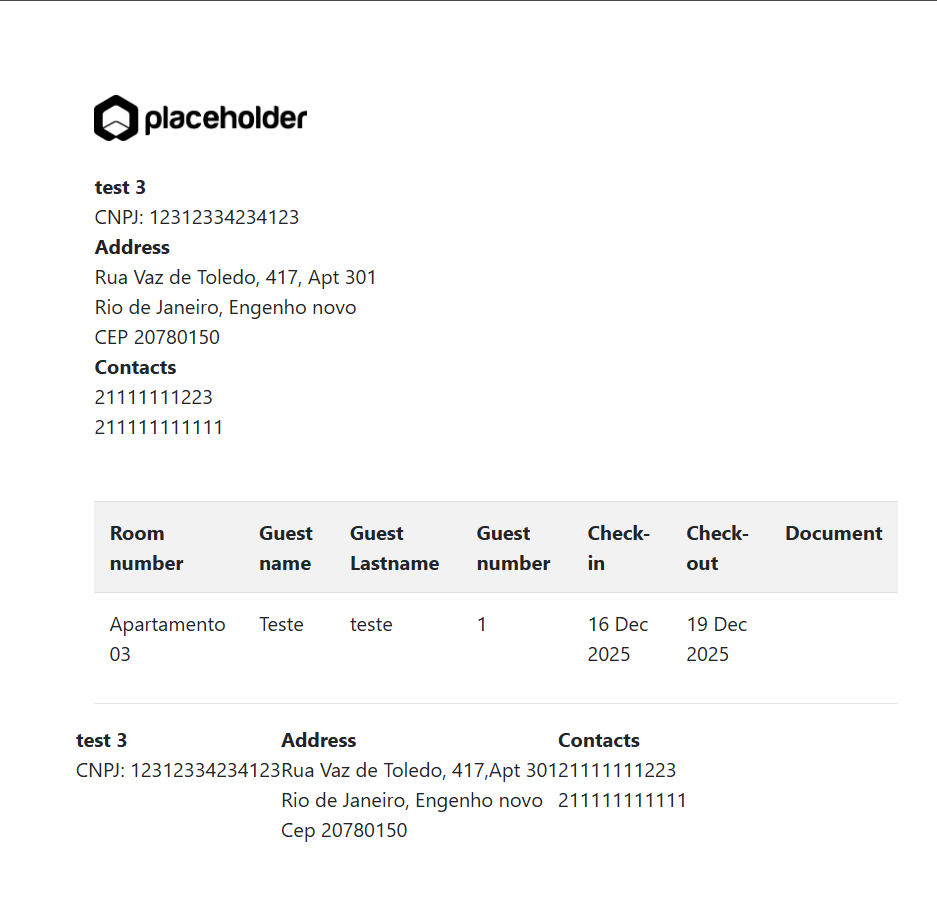
The document uses the data entered in the reservations. If the number of guests is correct in the system, the list is automatically generated with:
- Internal accommodation name;
- Guest names;
- Total number of guests in the reservation;
- Arrival and departure dates.
The layout is kept simple to support quick reading during daily operations.
How to edit the Guest List template
If you want to adjust the layout, rearrange information or adapt the document to your company’s visual standards, you can edit the template using HTML. To access it, go to [Catalog > Printable templates > Master Templates > guest list].
Edits must be made in all active system languages to avoid translation issues.