The registration number is required in many regions and is part of Airbnb’s global listing rules. Here’s how it works in Stays and where this information is used.
Where to enter the registration number
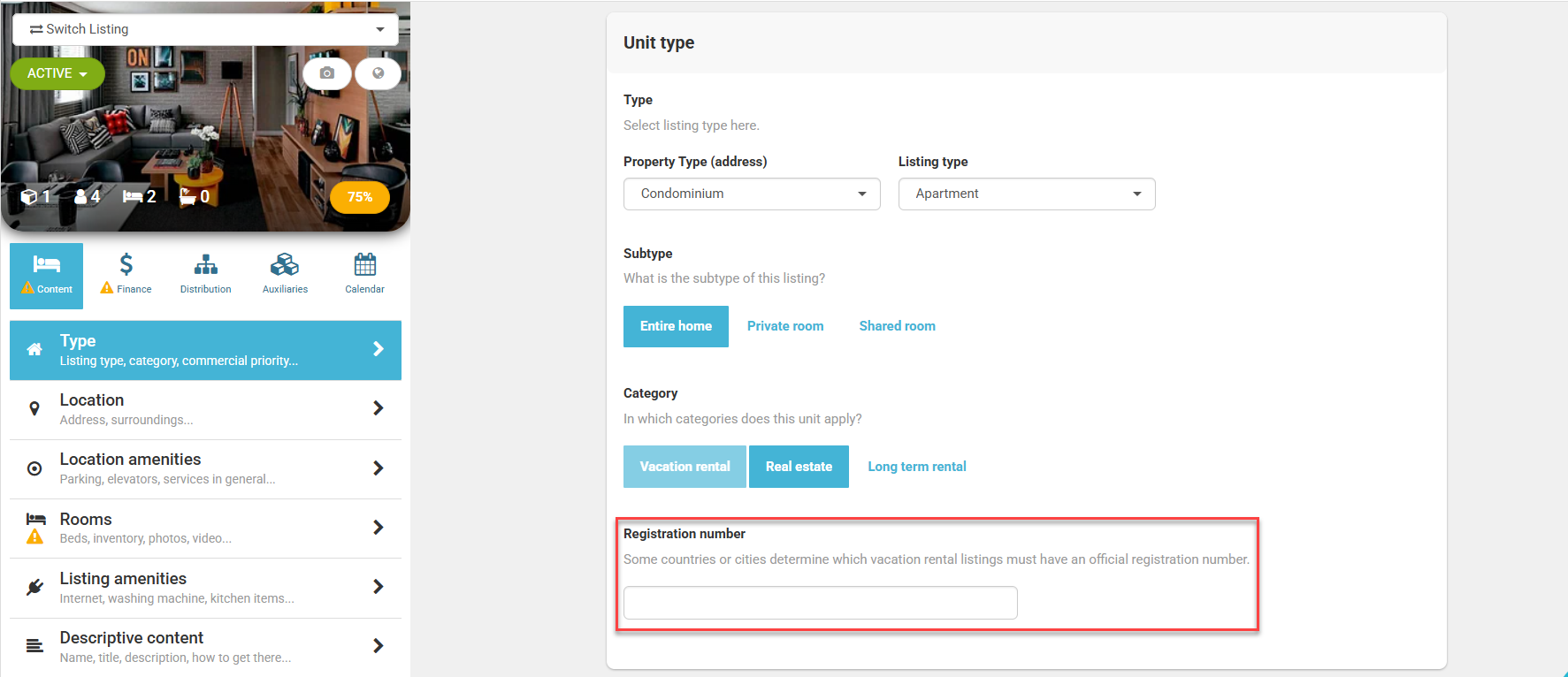
If your property is in a region that requires a registration number, you can add it directly in Stays.
To do that, follow the steps below:
- Go to [Listings] and select your property;
- Click on [Content > Type] and go to [Unit type] section;
- Fill in the [Registration number] field.
Which channels receive the registration number?
Stays sends the registration number to the following channels:
- Booking (only if the listing’s location requires it)
- Despegar
- Homes & Villas
Important information: Airbnb doesn’t receive this information through the API. If the listing requires a registration number, you’ll need to enter it directly on the Airbnb platform. Learn more.
For App Center partners, this information is not yet sent together with the listing details.