What's PriceLabs?
PriceLabs is a revenue management tool for short-term rentals that uses market data to set dynamic and smarter prices. It considers occupancy, average rates of similar accommodations, and other indicators in your area.
With this info, PriceLabs automates your pricing, adjusts values based on demand, and keeps your rates competitive without needing manual updates.
How can I see PriceLabs prices in Stays?
After completing the connection, you can check all prices and restrictions sent by PriceLabs in the [General Calendar]. Open the listing, click on [+] to expand the options, and access the [Condition] section.
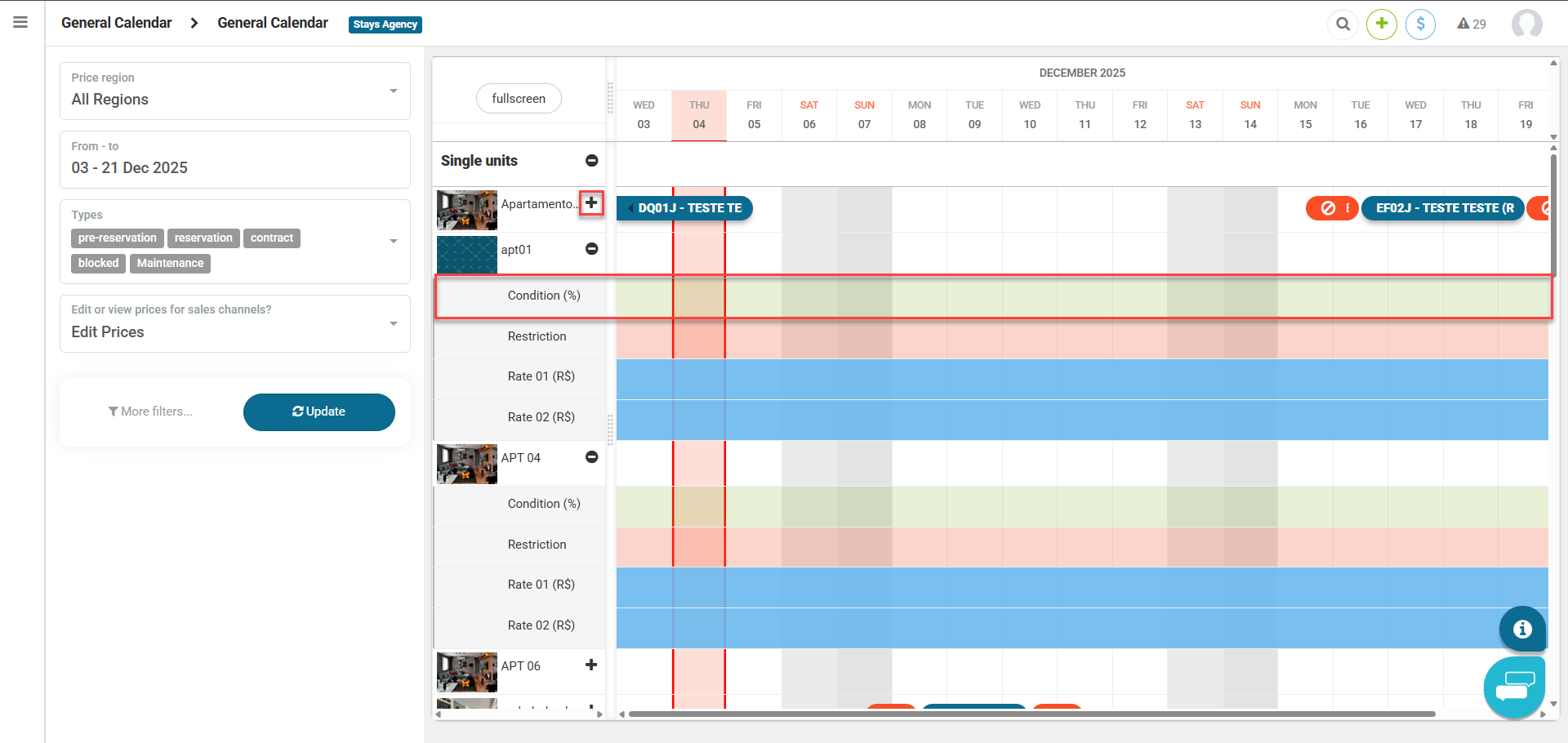
Updates happen automatically once a day, with the option to force sync using the [Sync Now] button in PriceLabs. Learn more.
How does price sending work?
PriceLabs sends prices to Stays and Stays automatically passes them on to the channels. You don't need to configure anything in the channels or in Stays for the values to be sent.
You adjust the minimum, base and maximum values in PriceLabs. In Stays, you just receive the values and apply promotions.
Does PriceLabs recognize multiple units?
PriceLabs recognizes each unit individually, but you can group them in the dashboard itself to apply actions together. This doesn't change the price suggestions, because the calculation considers the address and maintains consistent recommendations for units in the same location.
What information isn't managed by PriceLabs?
Some settings need to be made directly in Stays. This includes additional fees like cleaning, taxes and services, plus derived pricing, which adjusts the nightly rate based on the number of guests.
What's the most compatible pricing model?
The most compatible option with PriceLabs is per-night pricing, which follows the format used by the tool. Just enable length-of-stay discounts and create the same rate lines in Stays that you configured, ensuring prices are displayed correctly and minimum stay rules work without errors. Learn more.
Per-period pricing can be used, but it has limitations. Since it doesn't fully follow this logic, Stays' minimum stay takes precedence and inconsistencies can pop up when the duration sent doesn't exist as a rate line, leaving the calendar blank.