Check the main settings to ensure PriceLabs information reaches Stays.
What you will find in this article:
- How to set minimum stays and restrictions in PriceLabs
- How to set the minimum stays on Stays
- Additional Information
How to set minimum stays and restrictions in PriceLabs
Go to your PriceLabs dashboard and set your minimum stays, arrival and departure restrictions, and any other preferences. Based on this info — plus market data from your area — PriceLabs will generate your pricing. And if you want, you can change everything right there.
Finish up by clicking [Sync Now]. Stays will receive your PriceLabs prices once a day.
 |  |
For tips about how to use PticeLabs with the best features, read the tool's official content.
How to set the minimum stays on Stays
Adjust the rate plan on your system to match the minimum stay settings already set on the PriceLabs dashboard. This way, the information will be aligned across both platforms.
If you work with pricing per night:
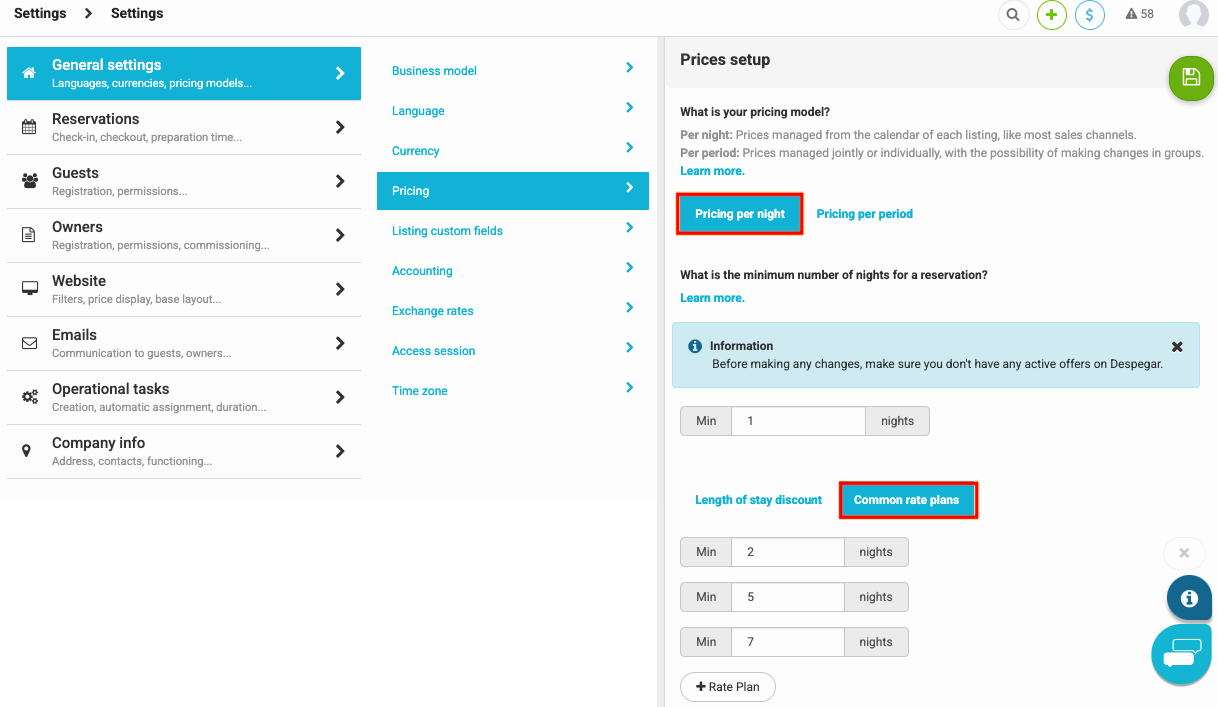
- Access [Settings > General settings > Pricing > Pricing per night];
- Use the [Common rate plan] model, recommended by PriceLabs, to set the minimum of nights;
- Click on [+ Rate Plan] to create the plans you need;
- Let everything align between PriceLabs and Stays:
- Example: if in PriceLabs you set the minimums of 2, 5 and 7 nights, set the same numbers on Stays.
If you work with pricing per period:
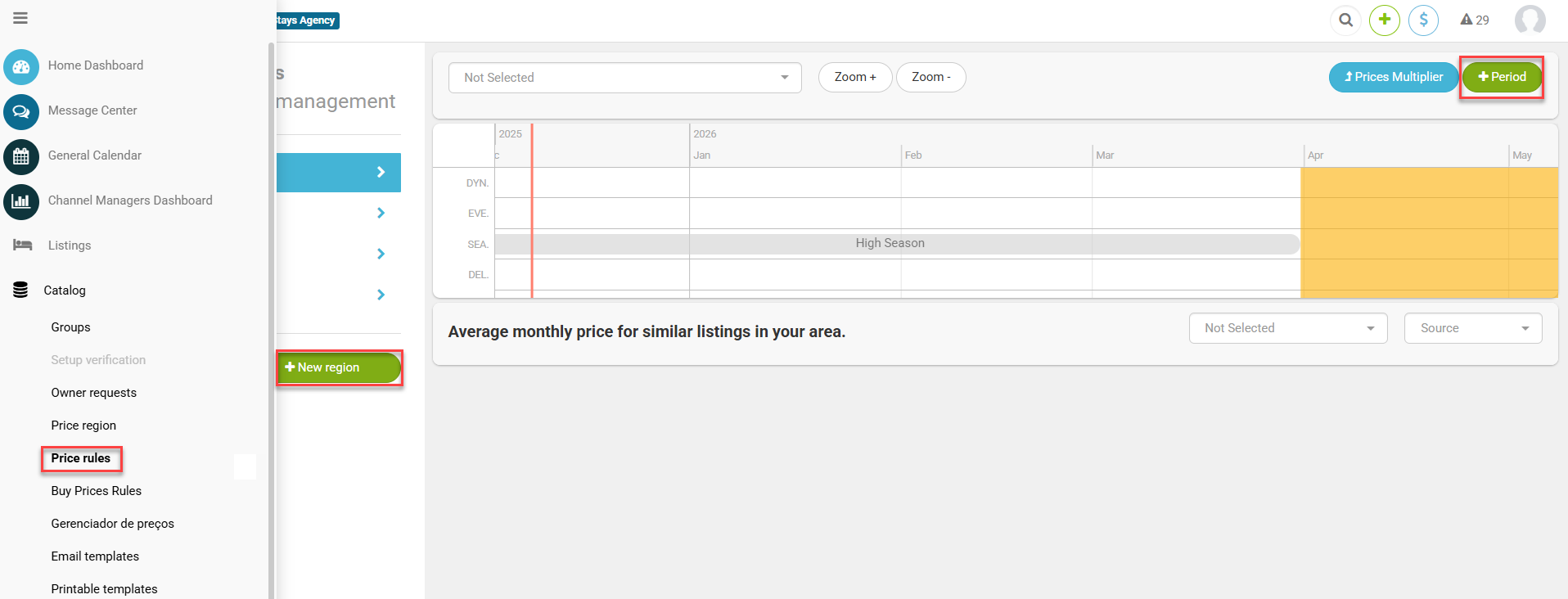
- Access [Settings > General settings > Pricing > Pricing per period];
- Then go to [Catalog > Price rules];
- Create or adjust your rules on [+ New region] and on [+ Period];
- Set the rate plans according to what's configured in PriceLabs.
- Maintain everything align between PriceLabs and Stays.
- Example: if in PriceLabs you set minimums of 2, 5, 7, 14 and 28 nights, replicate those same minimums in your Seasons and Events in the system.
Additional Information
- Set your minimum, base and maximum prices directly in PriceLabs. After the integration, Stays’ pricing rules are no longer used — all pricing control moves to PriceLabs.
- In Stays, you’ll only be able to adjust promotions on the calendar. If you plan to use that feature, keep your PriceLabs minimum price a bit higher to avoid conflicts with the discounts applied in Stays.
- The prices you set in PriceLabs will be sent to the system automatically and will show up in the [General Calendar].