Stays lets you store guest documents on the Reservation Page and provides space to upload images, text files, or PDF documents.
To add a file to a reservation, follow the steps below:
- Access the Reservation Page;
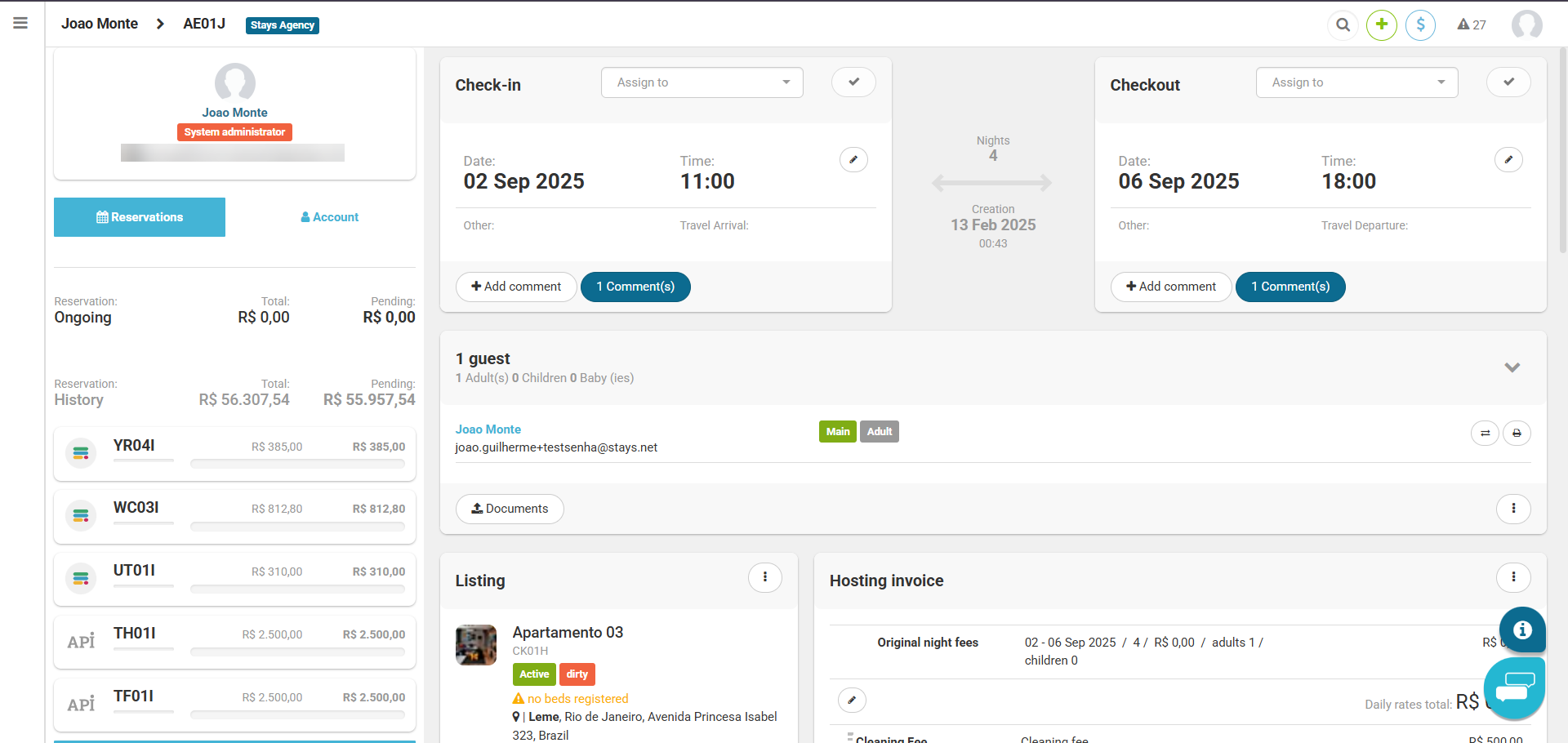
- Click on the button to upload files;
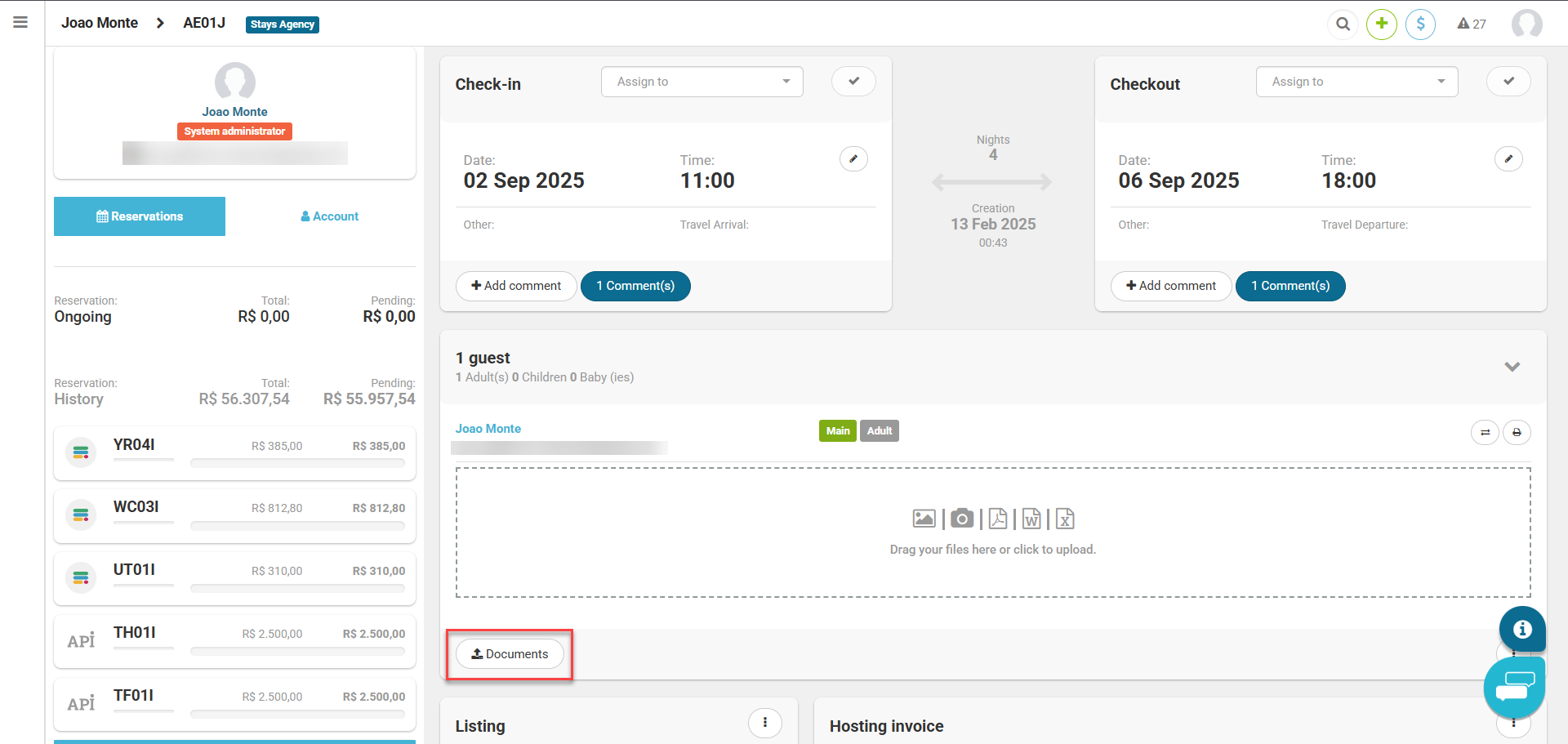
- Select the files;
- Wait until the upload is complete;
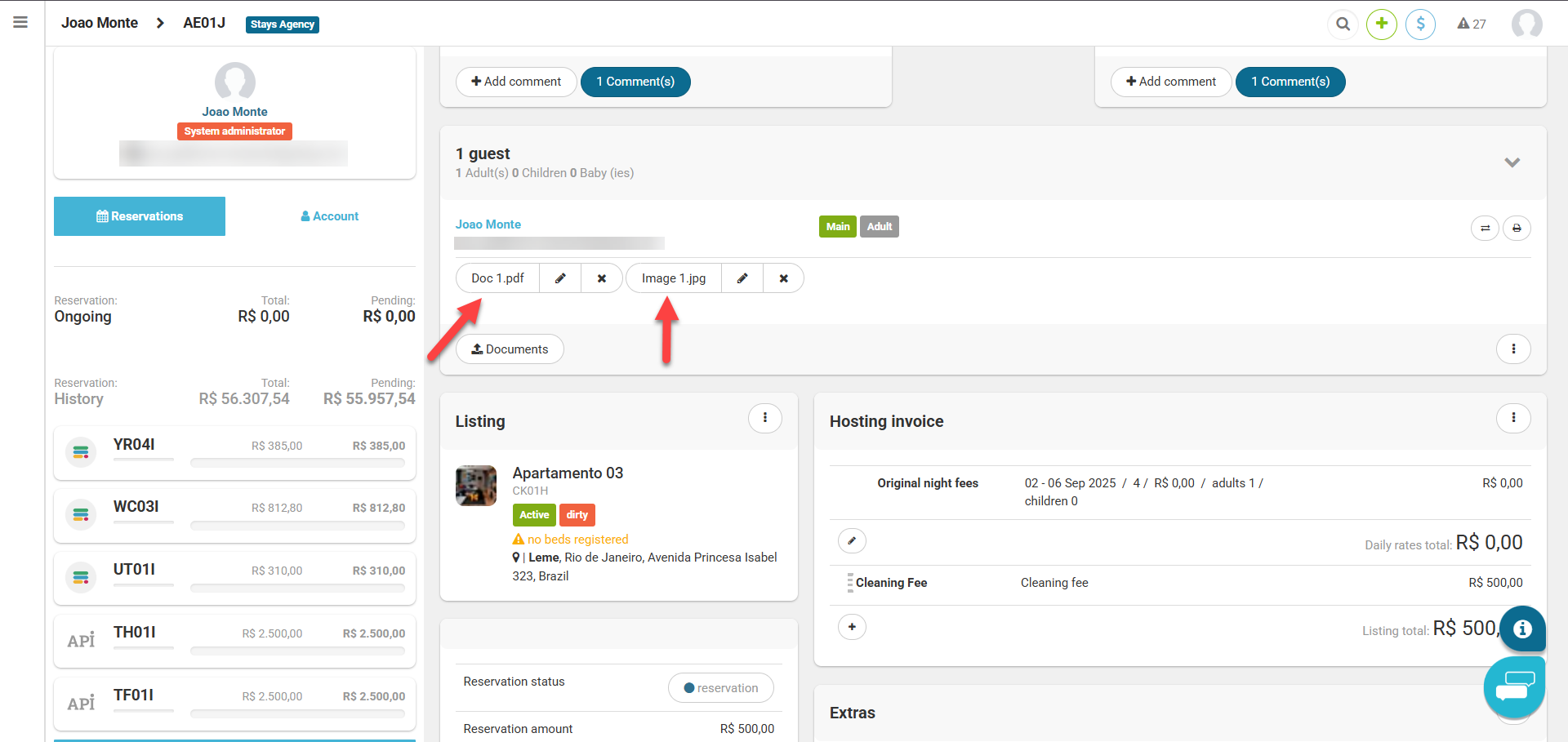
- There you go, your files have been uploaded to the Reservation Page!