If your account has more than one user, set access permissions for each person.
This way, each user can see and use only what they’re allowed to, keeping the platform organized and secure. Learn more.
To make this adjustment, just follow the steps below:
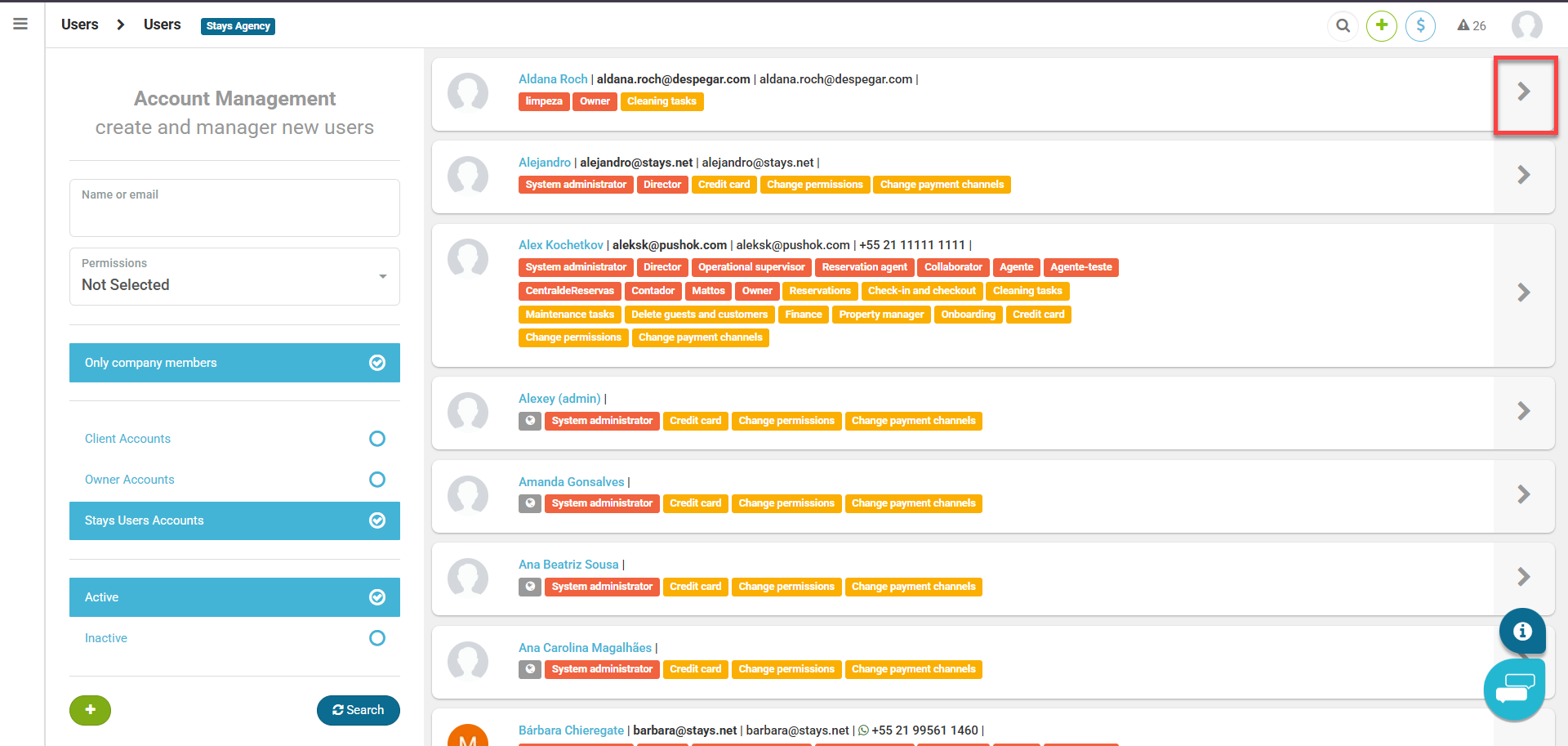
- Access the [Users and Guests > Users] menu;
- Find the user in the list and click on the "arrow" icon to the right;
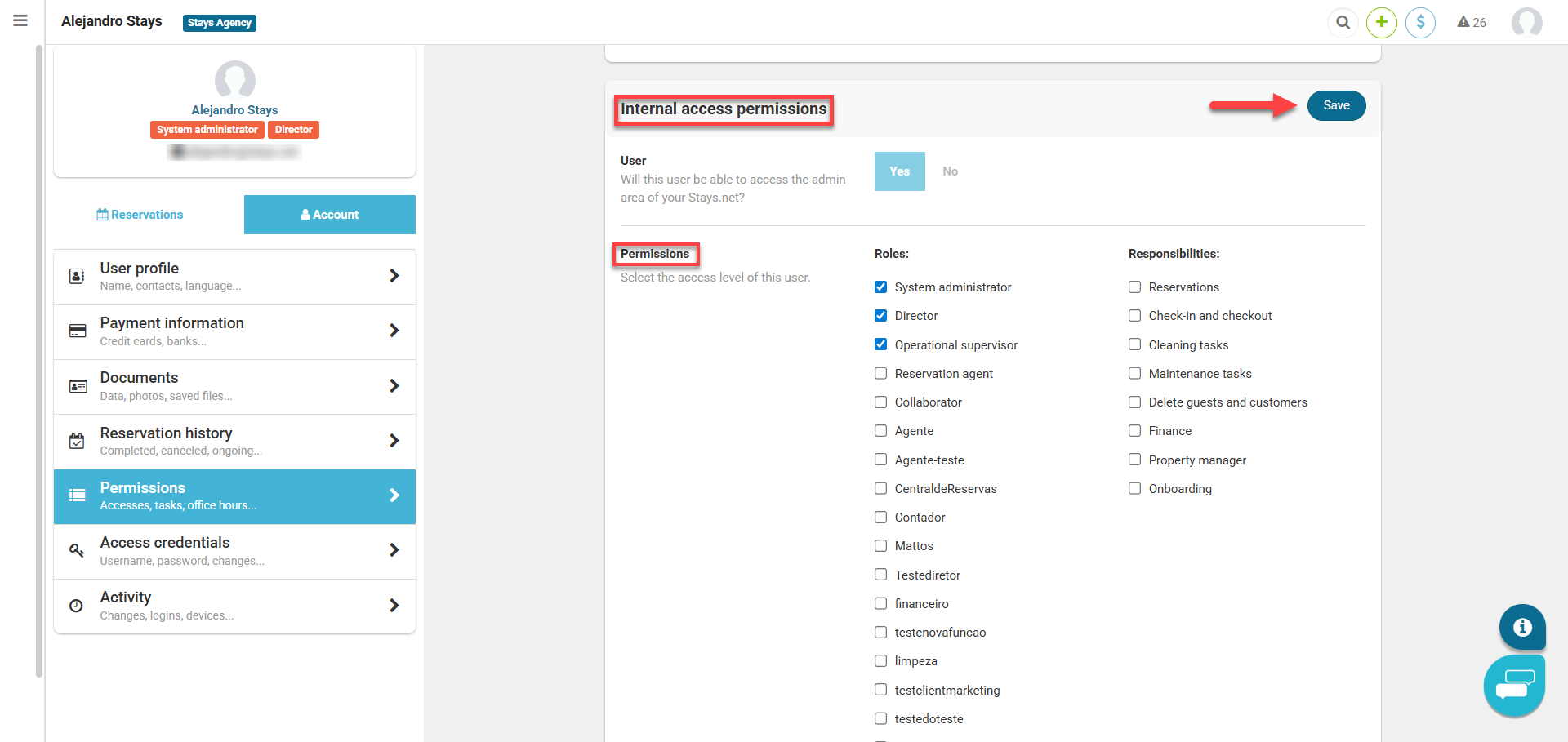
- Access the [Permissions > Internal access permissions > Permissions] menu;
- Select the desired options;
- Save the changes made.
Important: tasks define a user's acting areas and not access permissions