Once you have received the deposit receipt or Pix from the guest, complete the steps below to record the payment:
- Access the reservation page;
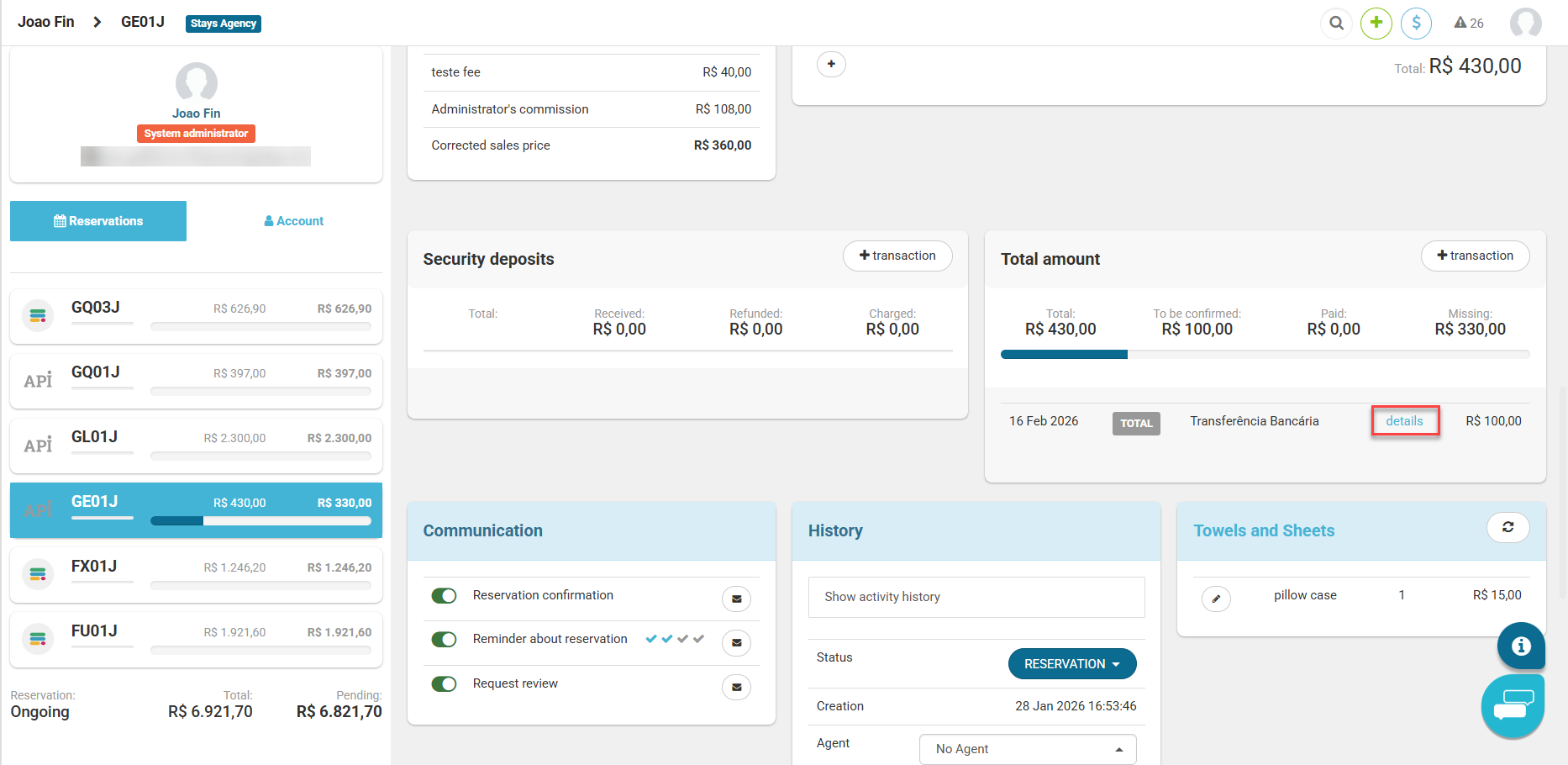
- Go to the [Total amount] section;
- Click on [+ transaction > Bank Transfer/Deposit];
- After fill in the information, go to [details];
- Click on [Received] and save.
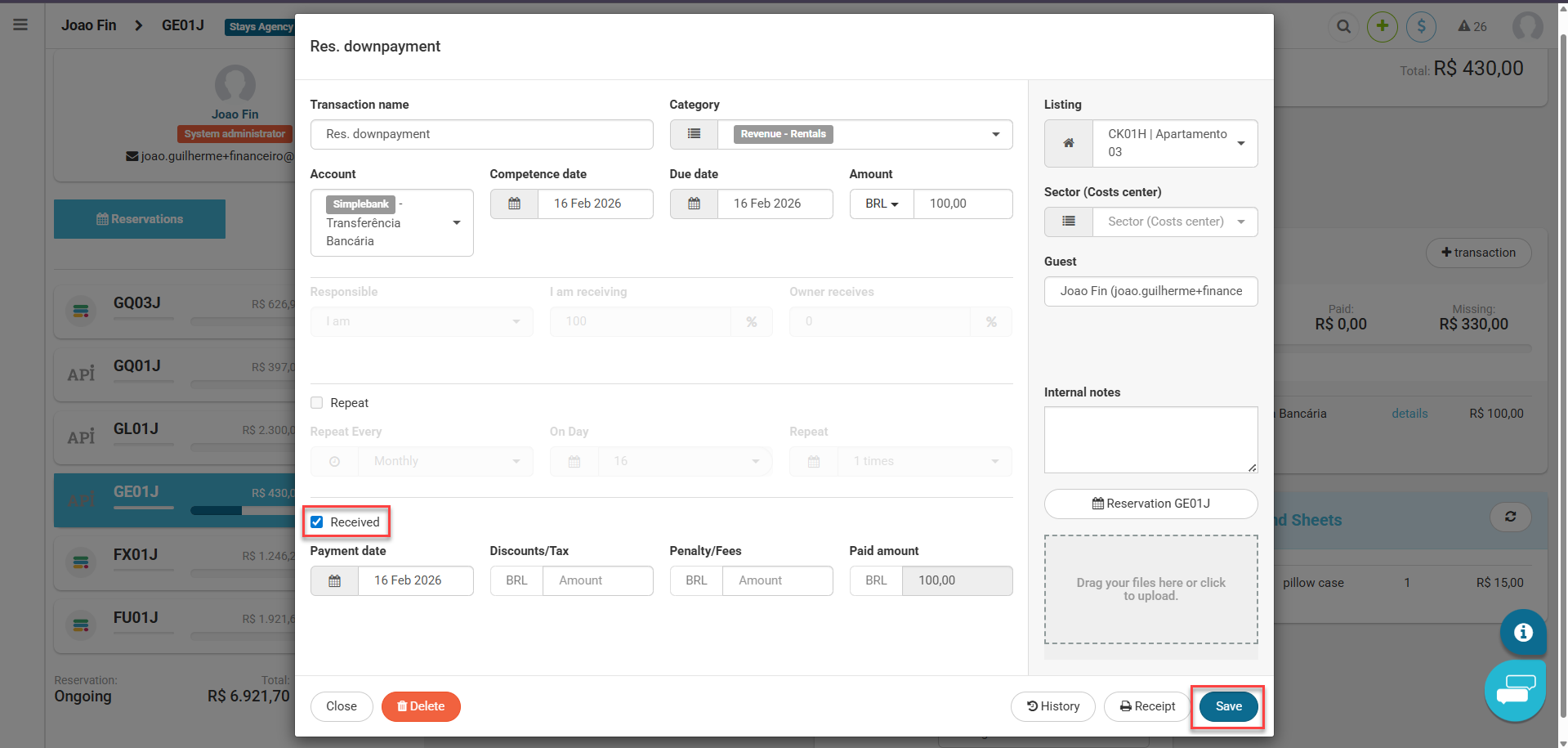
The [Payment date] field refers to the expected date for the posting to arrive in your bank account (in the case of deposits) and the [Transaction Description] field can be used to indicate more information about the transfer, such as the paying guest's Pix code or key.